사용조건
Claude.ai Pro or Max 요금제 사용
Brew 설치
$ /usr/bin/ruby -e "$(curl -fsSL https://raw.githubusercontent.com/Homebrew/install/master/install)"
* 최신판은 https://brew.sh/index_ko에서 확인 할 수 있다.
Node 설치
$ brew install node
Claude Code 설치
$ npm install -g @anthropic-ai/claude-code
Claude Code 최신버전으로 업데이트
$ npm install -g @anthropic-ai/claude-code@latest
VSCode 설치
Download: https://code.visualstudio.com/docs/?dv=osx
VSCode Terminal 열기
New Terminal (단축키: Control + Shift + ~)
Terminal에서 Claude Code 실행
$ claude
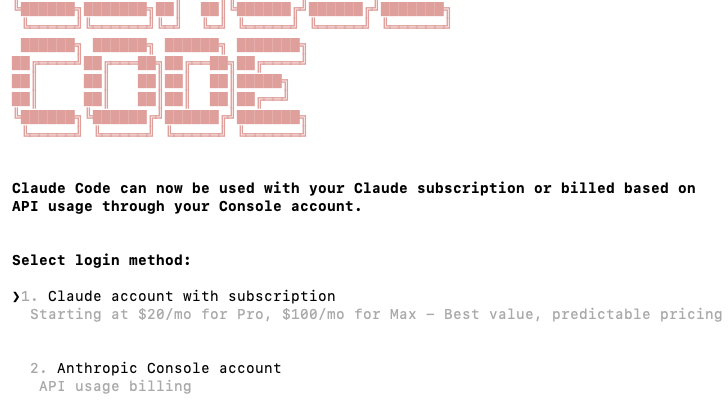
1번 선택 후
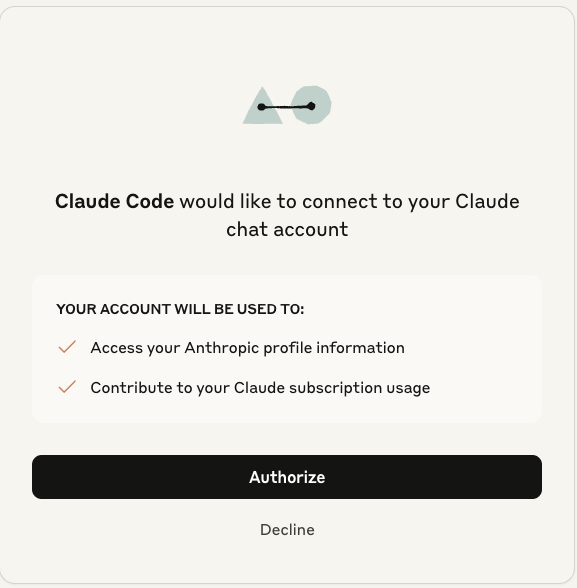
웹에서 권한 부여를 선택하면 로그인 완료
Claude Code 명령
이제 원하는 명령을 하면서 신나게 바이브 코딩 하면 됨.
기타 기능 (필요에 따라 실행)
IDE 확인
IDE가 VS Code로 적용되어있는지 확인한다.
$ /ide
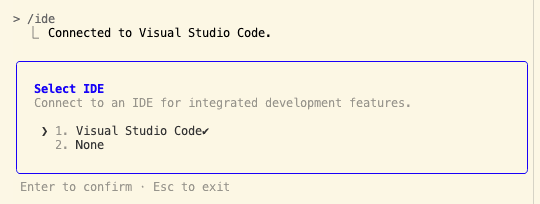
이전 대화로 돌아가기
esc 두번 클릭
작업 Undo/ Redo
다음 작업을 명령한다.
복구: claude undo last changes
재실행: claude redo last changes
이전 대화 불러오기
최근 대화부터 시작: $ claude --continue
이전 대화로 부터 선택 시작: $ claude --resume
깊게 생각하기
- 명령문 마지막에 think hard 붙이기
- 명령문 마지막에 think ultra 붙이기
이미지 첨부
메모리에 있는 것을 붙여넣기 하거나 Drag&Drop 방식으로 claude code 넣음.
Claude Code 완전 제거
$ npm uninstall -g @anthropic-ai/claude-code
캐시 정리
$ npm cache clean --force
유용한 도구
Claude Code 사용량 보기
# Install from PyPI
pip install claude-monitor

# Run from anywhere
claude-monitor  # or cmonitor, ccmonitor for short
https://github.com/Maciek-roboblog/Claude-Code-Usage-Monitor?tab=readme-ov-file#-installation
-> 대신 Claude 2.X 업데이트로 터미널에서 claude 실행 후 /usage 명령을 이용해서 간편히 볼 수 있음.
'Developments' 카테고리의 다른 글
| 버전관리 (SVN/Git) 클라이언트 (0) | 2016.12.10 |
|---|